Why Won’t We Change?

Exploring Reluctance in Automation of Manual Development Practices

When building software for clients, a key driver is providing value and improvement to current manual user procedures. We should always look at ourselves in the same light. Without eliminating the manual processes in our own software engineering practice, how can we advocate the same lean focused benefits when automating client processes?

In the digital age, all teams must embrace automation to eliminate waste

Maintaining manual elements of the software development cycle in fully remote situations such as the ongoing COVID-19 lockdown is rather difficult. Rather than trying to communicate more via informal channels to keep things going, teams resort to communicating less to “just get things done”.

Automated release and deployment mechanisms that could help reduce the amount of manual intervention are being ignored. Each dismissal often comes with mutters of “oh, I’ll do it next time”. Yet next time the recursive rejection cycle continues.

Trying to encourage process automation among reluctant colleagues can be frustrating

It is easy for the agent of change to become frustrated at the reluctance to change being exhibited by others. I imagine many of you are now reflecting on a time where you have faced hesitation for changes you are passionately advocating. With my most recent experiences in mind, I reflect on the reasons for automation hesitation.

The Certainty of Chance

Firstly, consider for how long these activities have been conducted in this way. How long have manual release procedures existed in your organisation in their current guise? 1 year? 2 years? Perhaps more than 5 years? Manual processes tend to hang around for a long time like a bad smell. New elements are bolted on over time. It’s rare steps are removed.

The longer things remain the way they are, the more difficult it becomes to change minds. Especially in times of strife. Even the most burdensome elements can be transformed over time into elements of comforting certainty.

Even the most frustrating manual procedures can become the comfort blanket of most established engineers

Don’t confuse this comfort as acceptance in how things are done. Strangely enough, complaints on the degree of manual effort required have persisted for some time. Developers do raise concerns about the amount of time it takes to perform manual elements of our process such as release management, migration to testing environments and undertaking of manual testing. Nevertheless, when opportunities are presented to address these gripes we chicken out.

Tracking repeated rumbles is imperative to identify your complacent counterparts. Those are the individuals that will require support to adopt anything different. Just like all change and influencing forums tell us, it’s important to sell the change to them, including the cultural support, to encourage them to try using this new mechanism.

Feel the Pressure

Another cause of reluctance to automate our own processes is the degree of delivery pressure applied to teams. As process automation requires upfront effort, there can be a misconception that the automation takes longer than “just doing it”. Even with the best intentions and willing colleagues, they will take the easy way out and justify waiting until next time to take action.

If clients are continually yelling for new features to be delivered yesterday, the last thing developers want to focus on is automating procedures in their own back garden. There is a perception that, at least this time, it will take longer. If the team doesn’t see a potential future time saving, they won’t automate. Also, if they are pressed to get something out now, they will default to the old ways and still won’t automate.

Teams under pressure will be reluctant to commit to more work to automate their processes

We’ve all been guilty of thinking “it’ll take X to automate, I don’t think it’s worth it”. It’s not that they don’t want to be good scouts and leave the campground in a better state than it was found. It’s that they observe that users and Product Owners don’t appreciate the value or benefit. That the PO dictates all work that they complete.

I implore anyone who perceives that their Product Owner controls their sprint backlog to re-read the Scrum Guide very carefully. In particular, focus on the below two quotes:

The Development Team consists of professionals who do the work of delivering a potentially releasable Increment of “Done” product at the end of each Sprint.

The Sprint Backlog is a forecast by the Development Team.

— The Scrum Guide, Jeff Sutherland and Ken Schwaber

To foster innovation and improvement, development teams need to feel empowered to control the sprint backlog and accept the work they undertake. It should be a conversation with the Product Owner to explain the value of process automation, along with the benefits they will see. Leaders need to protect teams from client pressure and ensure there is sufficient breathing space for teams to learn, grow and automate for their own collective benefit.

Learn to Fly

Think back a few years ago when you were just starting out at a portion of your educational or professional journey. Did you know absolutely everything you needed to complete work assignments? Of course not!

With the wealth of knowledge that exists in the world, only a fool would expect to know everything they need to do their job

Fast forward to today and contemplate your current position. Do you always know the answer to everything? Is there never a situation where you need to search for an answer using your friendly neighbourhood search engine? I don’t believe I’m being presumptuous in assuming the answer is no for you as much as it is for me.

We may not be in education anymore, but we should be constantly learning. Lack of learning mindset is detrimental to any team. With technology frameworks, programming languages and paradigms continuously evolving, being a software engineer is a lifelong commitment to learning new and better practices. That includes learning how to automate your current processes. Especially those where established team members have a high degree of muscle memory.

Stronger

Of course a collaborative and continuous improvement culture across organisation should make change easier to apply. However, team cultural pockets also impact the willingness of squads to embrace change. Closed minds at both the individual and management levels can promote change resistance, even in the midst of top down transformations.

Automation of manual processes makes us stronger, not weaker

The reality is that unless all colleagues share the continuous improvement mindset and the desire to automate wasteful stages in their software development cycle, they will continue to follow the same repetitive manual procedures. Although we are privileged to have individuals willing to embrace change, that enthusiasm is not present across the entire collective.

I implore all teams in varying stages of DevOps adoption to consider any manual step in your process as waste to be eliminated. Don’t wait for that dreamy post-lockdown utopia to improve your own ecosystem. The benefits will still be there whatever that new normal is, and you will be a stronger team for undertaking the journey. So act now!

Thanks for reading!

Baby It’s You

Diagnosing and Addressing Remote Working Connectivity Issues

It’s week two of UK lockdown, and many of us are trying to adjust to stringent restrictions coupled with working remotely with pets and children. We’re silently celebrating the first week of being home with the kids. Successfully writing emails and code with a baby bouncing on knee is still a work in progress for me. Practice will hopefully make perfect. In the meantime, any tips others can provide are definitely appreciated!


One achievement I am proud of is that I finally have an isolated work setup and generally good remote connectivity. Having persistent connection freezing, pixellated video calls and disconnecting sessions leaves you feeling powerless and useless. With all the negativity and worry ebbing through the world, the last thing we should be worried about is performing at work.


Isolated Man

Remote connectivity issues can be leave you feeling very alone and frustrated


I am thankful that this means I can now focus on supporting colleagues and trying to build software from home. Yet, the journey to isolate the source of my issues has been far longer than I would like to admit. There is a struggle to figure out if it’s down to my own home environment, work capacity, or some weird combination.


To help support the wider community, here I list the key external items I investigated in improving my own work connectivity. Hopefully it helps others find remote workspace nirvana and further promote the work environment empathy I have previously advocated.


The Original Wrapper


There are many different remote working configurations adopted by organisations. From dedicated laptops, to remote connections via a personal machine, there are several options provided to the workforce. If you rarely work from home, it is easy for versions of remote tooling to become obsolete. There are definitely security and other implications of not keeping this software up to date. Yet the last thing we think about when browsing our personal laptops at home is updating work related software.


Old Bible

Newer rather than older software versions can help improve performance


As we are facing a considerable period of working from home, now is the time to update the relevant software. Connectivity software is one. Be mindful of other tools such as video conferencing, media extensions and other collaboration software. All should be updated to the latest and greatest.


Speed of Sound


This next item may seem obvious. Yet it has several nuances that are worth investigating. It is definitely worth checking your broadband connection. This may be a challenging item depending on the number of people remote working from your home. Those in flatshares may be vying for bandwidth on a low speed connection. Irrespective, it’s worth investigating broadband if you’re struggling to connect.


The first aspect of your connection worth investigating is the overall speed. Many ISPs have an online checker that you can use. Regardless, using an impartial tool suitable for your region such as UK Broadband Speed Test is a good method of testing your speed.


Speedometer

It may not need to be top speed, but is your broadband speed and settings supporting your remote working


A secondary yet less obvious item that I didn’t initially consider is evaluating your broadband router settings. Particularly the frequency settings. The last thing we tend to focus on at home is whether our router is using 2.4 GHz or 5GHz for our devices. As long as your favourite streaming service is working while you’re on the couch glued to social media on your phone, you probably don’t care very much. Yet if you are still struggling with connectivity, it may be worth investigating the best potential frequency for your connecting device.


Somewhere Over The Rainbow


Much has been said in numerous articles on the importance of a dedicated workspace. Many posts I have read in recent weeks strongly encourage us to find an isolated space. There are many advantages to a dedicated area for working. These include establishing a physical separation between work and home and encouraging focus on work. Finding such as space is easier said than done


Your chosen working location can also be impacting your connection. Wireless signal strength can be impacted by the proximity of your space to the router, wall thickness or other aspects of your home. For me, working from kitchen table was difficult for reasons other than the usual distractions. I definitely did encounter the standard challenges such as battling the siren call of the fridge, the lure of another cup of tea, and the tempting giggles of my son on the changing mat. Nevertheless, I also found my connection was dropping off when WFKT, or work from kitchen table. Thanks for the tip Lucian Stan!


Dressing Table

Many spaces can be adapted to be a dedicated workspace, including dressing tables


Adding a desk to the spare bedroom has been a salvation in connectivity improvement. While it was the best choice for me, it is possible to find an inventive solution by reusing some furniture. Both a colleague and my sister-in-law advocate the surprising effectiveness of work from dressing table, or WFDT for short. With space for a second monitor and your legs, it proves to be an ingenious solution. I definitely approve of the creativity used here!


Shiny Toys


With the amount of negative information; concerns for friends and family; worries about food, toilet paper, social isolation; and the various other worries buzzing around our heads, the last thing you’re probably thinking about is the newest gadget. Yet an ageing personal laptop could be causing your connectivity issues. The various reasons for why this could be the case are outside the scope of this article.


Speedometer

Equipment, as well as location, can have an impact on your connection


For me this was literally the last resort. If you only use your home machine for the occasional browsing, upgrading to the latest laptop may seem like a frivolous expense. If you already have your eyes on a shiny new toy, and have the means to cover that expense now, it may be worth bring that purchase forward.


Join Together


Slow connection issues can be exceptionally frustrating to rectify. Sympathy can be difficult to find. Particularly where things just work for others and not for  you. Quite often it is difficult to know where to start. By ruling out your home configuration, it is easy to identify when it’s not you.


I’m sure there are many other diagnostics you can perform to rectify your own personal remote connectivity problems. Hopefully some of the steps I’ve had to execute will boost your connection and allow you to work at a productivity level closer to your native office. If you find any more, do share and help the community remote work together.


Thanks for reading!

Long Distance Call

Where is Our WFH Workspace Empathy?

Let’s be honest, we are already getting tired of hearing about COVID-19. It dominates our media headlines. It is leading to the cancellation of many events and conferences. Company policies are invading our mailboxes. The resulting panic is emptying our supermarket shelves. As much as we want to ignore it, this disease is having a significant impact on our lives as it moves throughout the world.

This week it has escalated in Europe to the point where many are beginning to work from home for significant periods of time. Suddenly, vast numbers of people used to the daily commute are stuck in the confines of their homes. Many will not have a comparable home setup to support a productive working day. Myself and colleagues are facing ongoing challenges in adjusting to self isolation. For those with no home setup such as myself, we are scrambling to invest in home workspaces to continue to be meet deadlines. Yet when challenges arise, many struggle to remediate the resulting issues.

Many of us are struggling to work from home due to insufficient workspace

I have previously discussed workspace effects on developer productivity and the practice of pair programming, as well as the impact on non-permanent stakeholders. In these tough times of self-isolation remote workspace support should be a paramount concern. Here I discuss some of the challenges of poor remote workspace support, and how a consistent lack of tooling focus impacts our capacity to work in times of hardship. Furthermore, I will emphasise the importance of workspace empathy, and how true leaders can support their teams.

The Only One

If we consider the usual WFH setup, casual remote workers have a far less sophisticated setup than they utilise in the office. Numerous tweets coupled with my own experiences over the years point to the lonely laptop and mobile phone. The vast multi-screen office setup with high specification PC and fixed phone definitely pales in comparison. While in my university days working with a single screen was comfortable, the reality is it is far easier to scale up monitor use than it is to scale down. Nowadays, context switching on a single monitor for me is immensely infuriating. I’ve been spoiled by having multiple screens.

Many of us have been spoiled with PCs connected to multiple monitors

Some organisations are providing additional monitors and headsets to help support their people in adjusting to regular remote working. This support must continue to ensure colleagues are able to carry out their daily responsibilities. We must ask ourselves if this is the only mechanism to help our workforce remain productive.

Your New Twin Size Bed

The expectation that all team members have a dedicated workspace at home needs to be rapidly corrected. Lacking a space to work at home has a massively detrimental impact on productivity.

There are many life factors that result in people having a lack of dedicated space to work outside the office. Perhaps their proximity to the office means it’s not worth the effort. Perhaps living in a single room in a flat share means they are short of space or struggle to share a poor common WiFi connection. Perhaps you have noisy neighbours or temporarily high noise levels at home due to construction work being undertaken by yourself or neighbours. Perhaps the cost implication in comparison to other needs and desires is rather low. It may even be as simple as a preference to work in the office as it is a space your mind associates with work tasks.

Not all of us have a dedicated space to work at home. My space is currently the kitchen table next to my son’s changing mat and nappies!

This phenomenon does not just affect developers. Yet it is the junior developer population who are more likely to be impacted. I am in a different situation still where I had to dismantle my office to provide a bedroom for my infant son. My circumstance primarily arise from different reasons than those cited above.

Nevertheless, we now face the mutual challenge of scrambling to provide ourselves with the necessary space to work effectively. Often with little support. Providing headsets and monitors as described previously is a fantastic step forward. Yet support for helping individuals with a dedicated setup often falls short. That’s were help with items such as furniture should be considered.

Video Phone

Connectivity software and collaboration tooling is imperative in our quest for remote working productivity. Yet historical investment in such software is often an afterthought.

Despite working from home being actively encouraged this week, I actively sought refuge in the office. Partly for workspace reasons discussed throughout. But also due to the state performance of collaboration tooling used by many organisations. Certain messaging and screen sharing products have been the bane of my office setup for some time. One particular piece of software freezes and crashes several times a day due to poor scaling support. You have to complete numerous steps to enable video as it’s disabled by default. The strain of a remote connection exacerbates these problems.

High quality collaboration tools such as peer to peer video and screen sharing should be a focus in times of normality rather than an afterthought for times of panic

Although these issues impact the entire workforce, we keep calm and carry on with this particular tool. It is only now that we are required to remote work for a considerable period of time that the surge of requests for a comparable tools are appearing. The video calling issues can no longer be remediated by meeting people directly in other floors or buildings.

There is an element of personal preference at play here. It is my opinion that these tools should be made available to all in times of normality. This should be done in anticipation that these products will help to eliminate the shock of remote working isolation in times of strife.

Bad Connection

The world right now exhibits a strong and ignorant it works for me attitude. We have all shared a laugh or two at those stockpiling tinned food, pasta, hand wash a toilet paper, but to name a few. On the day I write this we have been unable to secure the nappies and formula we need for our infant son. We are clearly part of the minority group that only purchase what they need. Warnings to take what you need to ensure others can also obtain what they need are definitely being ignored. How people have the time to try numerous shops every day to find new stock of items to pilfer is beyond me.

With high numbers of us establishing remote connections to the office, some such as myself are left out in the code with freezing connections

Remote workspace attitudes are exhibiting the same selfish side effects. The age old joke of it works on my machine leaves a rather bitter taste in the mouth of those who are expected to be productive using connections that lock up for half the day. True leadership on remote workspace requires ensuring all have the tools they need. Leaders must provide support to expedite issues quickly. To do that they must listen to the concerns people are raising in the first place.

Anybody Seen My Baby?

Over the next few months our work and personal lives are going to collide together into an ugly mess of inactivity. Conference calls will be interrupted by family members and neighbours. With my quintessential self-deprecating humour, I joke about my infant son and husband joining the stand up. However, the reality is that a baby’s cry breaking through in the middle of a planning call leaves me feeling very raw and exposed to colleagues. Until I take the financial hit and sort out a dedicated space this will continue to be a problem. Even once a dedicated space is found, I will continue to battle to be heard through the noise of my neighbours ongoing construction work.

It’s time to put down the toilet roll and show some empathy people, both while working remotely and enjoying our homes!

As the world progresses through this period of social isolation, I am struck by a disappointing realisation that support will be hard to find. Having gone through a reduced element of isolation for 6 months while on maternity leave, I know first hand the emotional toll it can take. As many petition for us to think of others and stop panic buying, the same must apply to our colleagues. Think of those who live alone and may appreciate a video coffee break. Consider the opposing exposure of family and how invaded it can feel. Expressing kindness and empathy to others situation is paramount to making it through this tough time. Good luck all!

Thanks for reading! 

One Week

The Adventures of a Newly Returning Coder Parent

Cue the fanfare. Coder Mummy is back! Following six months of bottles, nappies and home nursery rhyme karaoke, the time has come to return to work. It’s constantly been referred to as my transition. In a way that’s true. Frustratingly, my first week has definitely been more of a mental and emotional metamorphosis rather than the regimented algorithm I would expect as a software engineer.

Going into my first week back, I encountered a strange mixture of excitement and dread. Yet I found very few honest accounts of people’s experiences. Returning role models are happy to engage in discussion, but very few appear to have documented their experience. Furthermore search results captured using your favourite search engine focus on legal rights rather than personal experience. It’s almost as if talking parental return is a weakness. As a result I’ve been trying, and failing, to dust it under the carpet and separate parenthood from my work life.

Working as a software engineer and being a parent currently seem like opposing aspects of my life

One profound moment was a colleague attempting to convince me that being a parent is in fact something to be open about. That it can be used to built rapport with clients for example. For that to happen, someone needs to start talking. To close the maternity journey, and start the conversation, here I reflect on my first week returning to work as a software engineer. Check out a subset of the expected and unprecedented challenges here.

Knowledge Me Again

One strategy I employed to keep abreast of domain knowledge during my leave was monitoring emails while out of the office. This was only partially successful. Many on long term leave may wish to switch off entirely from work. However, I seemed to miss that desire completely. Despite telling myself the purpose of email checking was to ease my transition back, the reality is that I also feared my inbox being full of irrelevant errors and warnings. These frustrations still remain, and I still support my previously mentioned musings on system alerting considerations for development and support teams.

Email mountain was difficult, but not insurmountable

Irrespective of how much you try to keep up to date with emails, you will have to conquer email Mount Everest upon your first day. Especially if we continue to adopt emails as a poor alerting mechanism. I wasn’t able to send emails for around one hour as I frantically deleted pools of alerts from one of our noisier components. Regardless the only impact this had was delayed notification of treats to the team. It did have the expected result of people stopping by to say hello. So if you only take one piece of practical advice from this post, make sure it is to celebrate your return with cake.

Lack of Knowledge

An unexpected surprise I uncovered was how much information I had retained. Although one must question if this is an indication of the capacity of my mental hard drive or how often I was digging into emails and catching up with colleagues. Yes part of the justification was the alerts and keeping up to date. However, the unfortunate reality is more that I never switched off from work at all. Instead I succumbed to an overwhelming desire to keep plugged into the matrix. Not exactly the healthiest of strategies!

One must wonder how much of the information I gathered during my time out turned out to be fruitful. As stated in my piece on my maternity learning journey, changes such as organisational updates was helpful in assessing the new world order upon my return. Although I did note that product domain knowledge would help me hit the ground running, the reality is that it’s not helpful as I initially thought. Mainly because I’m no longer actively working on that product anymore. It simply satisfied my urge of curiosity for what’s happening. But now I am suffering information overload from this new project. I’m all for being thrown in the deep end, but this feels more like I have been pushed out of a helicopter into the pacific!

The mix of pride at knowledge retention, dread of information overload, and feeling of muscle memory loss is a rather odd combination

A rather unlucky trait to lose was what I like to call my role muscle memory. Essentially the instincts that you develop over time that govern your capability to form strategy and identify the next step on the product development journey. My current strategy to build this up is simply to ask what I perceive are obvious and ridiculous questions. I am extremely aware that I may be asking more than before. Yet the opinion of others is that I have always been that way.

Differing viewpoints on whether this constitutes as a strength or weakness are definitely fascinating. My perception of question overload as a bad trait is most likely down to an over-awareness upon returning to work. I need to consider this as a normal personal strength as opposed to a negative side effect of my return. Until then, it’s time to apply the poker face. Or quite simply, keep calm and carry on.

Buzz Buzz Buzz

Concentration on mentally involved tasks such as coding are proving to be exceptionally difficult right now. Originally, I attributed this difficulty to lack of use over the past six months. In a way my brain is much like a disused car abandoned in the garage for months on end. It’s going to take some time to get it started again.

There may not be bees buzzing around me while I work, but without headphones it definitely feels like it

The reality is I’ve become more susceptible to the buzz of the office. I’ve discussed office capacity and its effect on developers before. It also has an impact on other practices such as pair programming. While I acknowledge babies cry, it’s a different kind of noise to the haze of unintelligible murmurs that echo through the floor.

Focused tasks like coding are definitely more challenging now. Noise cancelling headphones are helping to reduce the distractions. Nevertheless coding tasks are definitely taking a lot longer since I’m out of practice. I pity the poor individuals reviewing my code!

Song for a Friend

My support network has definitely changed. A big concern for me was lack of support. I’ve effectively grown up in my organisation, so my friend network consists of colleagues and my graduate class. All of these individuals were at work when I was not. Therefore, a significant concern for me was having to adapt my coping mechanism and expand my support network to include others.

I’ve been having quite a few coffee catch ups since I returned

Much of the existing network did disappear the moment I waddled, yes waddled, out of the office six months ago. Some of it I have managed to maintain while out through catch ups. Others I’ve had to claw back. Coffee catch ups are great for this. I’m fortunate to work in an organisation where people are very giving of their time. Nevertheless, some contacts have been lost.

There are several reasons people have become disconnected. People do come and go, meaning more effort is required to keep the connection alive. However others just get busy. Reigniting those relationships will take a more flexible approach.

Time After Time

Most of the aforementioned challenges are specific to either office or IT working. One of the more normal struggles I’m currently experiencing is the “get up and leave on time” paradox. There is yet to be a day where I have left feeling productive. I am completing some work items, and managing to either delegate or negotiate deadlines for others. Just not always as many as I would like. Not leaving in the evening now will set an impossible precedent for when baby goes to childcare in a few months. So not getting a handle on this now will definitely bite hard later.

The complementary “leaving in the morning” conundrum is also proving to be exceptionally frustrating. While I am fortunate that I’m sharing parental leave, and it’s partner’s turn to have his moment, it doesn’t make saying bye every morning any easier. Thankfully he has first hand experience of the heart-string tug, making it easy to talk over.

Leaving both work and home at respective points in the day is yet to become easy

Perhaps there is also an element of FOMO, or fear of missing out, at play. Of course it’s normal to regret the work opportunities missed on leave. Everyone undertaking long term leave will definitely lose out on some opportunity simply due to not being present.

Currently I’m hanging back too often to help others and be seen as a team player. No one wants to be seen as not performing. However right now my feeling is I’m both not performing at work and missing out on Baba’s latest achievements such as rolling over and trying food X for the first time. Cue the age old parental guilt!

Please Be Kind

I haven’t covered every niggling thought that occurred over the course of my first week. If I did, this blog post would rapidly evolve into a book. The key themes of disparate knowledge retention, a lack of control and the endless quest for work life balance are definitely covered. Nevertheless, the biggest surprise has been that there is a wealth of support out there if you just ask.

One of my next steps will definitely be to focus on establishing a better work home boundary. Otherwise in addition to parental guilt I’ll end up suffering burnout.

This new dual existence needs to be combined together for me to be my authentic self

I’ve realised that I need to be kind to myself. The skills I thought were gone are still there. I can still design and code. Albeit the latter needs some coxing out. Right now I am my own worst enemy. Segregating my character is stopping me feeling comfortable bringing my authentic self to work, and that’s not going to help me develop. It’s time for Coder Mummy to embrace the dual identity of mother and software engineer.

Thanks for reading. Do share your own experiences of leave and returning to work!

New Year’s Resolution

Planning Kanban Adoption for Home Task Management

New year. New decade. Cue the numerous social media posts outlining unachievable resolutions that people have absolutely no chance of keeping. The majority of my friends set typical goals such as new gym routines and healthier eating habits. However, the Richmond family have a more unconventional ambition in mind.

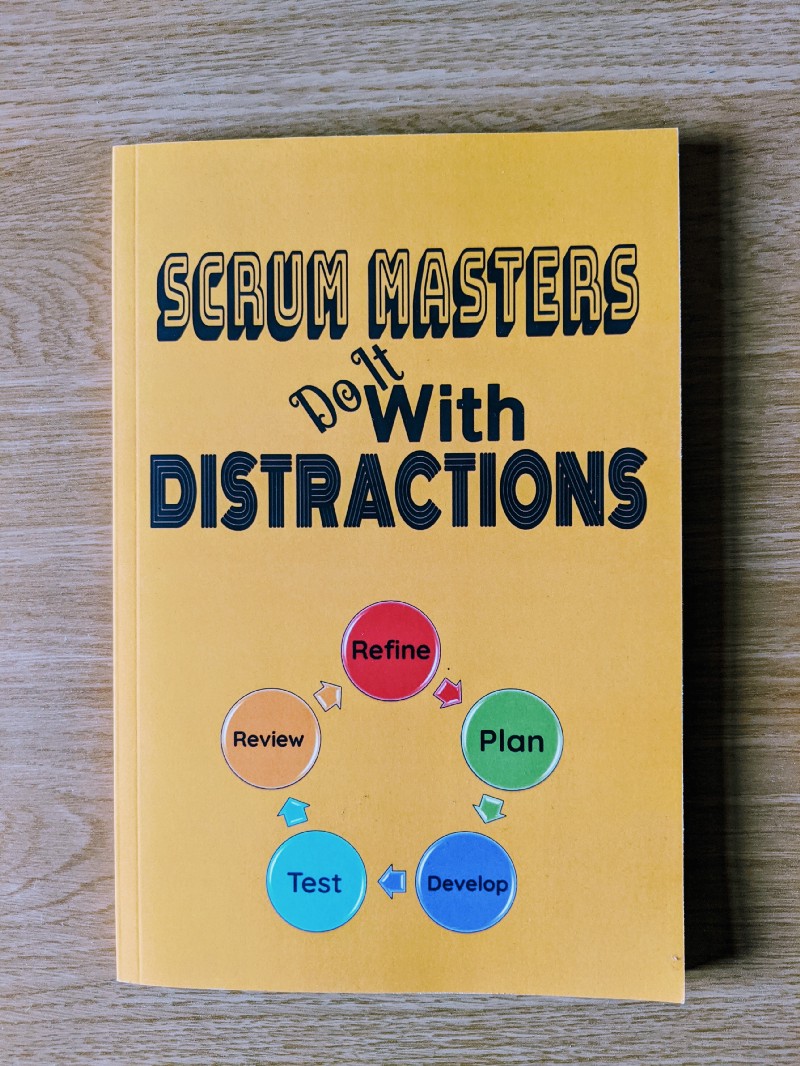
Throughout my eight years as a Software Engineer, I have grown to be strong Agile advocate. My experiences working in both Waterfall and Agile focused teams have fostered a strong preference for the latter model. To the extent that my status as an Agile evangelist is known far and wide. Furthermore, it is also a source of jest, as emphasised by the Scrum notebook I received as a baby present, illustrated below. Apologies colleagues, I thought evangelist was more suitable than geek!

My reputation as an Agile advocate is well known across the team. Hence the Scrum notebook as a maternity present!

I’ve always been far better at organising work commitments compared to my home responsibilities. To the extent that work is consistently prioritised above home. When I return to work in a couple of weeks, a better balance needs to be maintained for the sake of my family life. As well as for the sake of my own sanity. I must find a better way of using my strong organisation experiences from work in my home life. To this end, here I set out the initial thoughts on creating a Personal Kanban process, and set the initial goals for one of my 2020 resolutions.

Business Never Personal

To ensure this is not yet another lost resolution that’s committed to the rubbish heap, it’s critical to outline the justification for using Kanban in this unorthodox setting. Our current home organisational model is flawed due to a simple lack of visibility. Myself and my husband currently use a generic TO DO app inspired by post-its. Features such as cross device collaboration and reminders are fantastic for small urgent items. When it comes to longer term items that require more effort and planning, they often become lost. Furthermore, progress made on these items is difficult to track. Especially over the last few months with the arrival of Baba and the resulting mutual sleep deprived baby brain.

A second consideration is grouping of items into themes is problematic. The vast majority of TO DO applications provide colour coding and labelling capabilities. However, the agreed formats or labels are also challenging to track.

Use of a personal Kanban board to track my own work items has proven to be a helpful tool for me for several years. As a team we use Jira for our work items on our products. Regardless, for my own additional work items such as paperwork and goal setting, I use my trusty personal Kanban board to plan out my week, presented below. This is definitely the best and most practical gift I’ve every received from a colleague.

This physical board has pride and place on my desk.

Of course we could simply use this board at home. From a selfish point of view, I would require another board for work. There are also some practical considerations worth noting. Firstly, with my son’s impending weening and current focus of sticking everything in his mouth, falling post-its are bound to end up being eaten. Therefore a board out of reach with cards that won’t wall is definitely needed.

Additionally, the time slot swimlanes do not help with this current issue of tracking progress on these tasks. We’re not even sure which states we require. To that end, it’s time to consider a medium with configurable columns to give us flexibility of states. Finally, given the constant reprioritisation and context switching present in the current process, adoption of Kanban over time-boxed paradigms such as Scrum to reduce WIP seems most appropriate.

We Need a Resolution

In committing to this resolution, there are a few setup considerations that we need to evaluate. Just like adoption of any Agile methodology within the software development domain, details of the adopted setup must be agreed by all parties using the process. In this case we’ll exclude Baba from discussions, mainly because he’s yet to speak. Nevertheless, all attributes of this model must have full backing of both Mr Richmond and myself.

To address visibility concerns, a physical medium may be more effective than a virtual tool. Certainly I intend to conduct research to identify any Kanban applications that could solve our state and visibility problems. However, the notion of finally having a physical whiteboard for Agile activities over the typical online tools is rather thrilling. There are three key items that we required for a simple magnetic Kanban board, with configurable swimlanes.

  • Whiteboard
  • Magnetic Story Cards
  • Whiteboard markers

Yet it’s not only the existence of a board that must be assess. Board location is also of vital importance. Elaborating on the visibility issue of the aforementioned app, notifications and reminders are required to trigger your attention to particular items. Hiding the board in a far off corner of the house doesn’t call tasks to mind. The board should take pride and place somewhere prominent. Perhaps somewhere you spend a lot of time. Or even somewhere you always frequent when returning home from work. For us the kitchen definitely sounds like the prime candidate. The added bonus is there’s also a free wall already available.

The board must be prominently and proudly displayed for all to see

Agreement must also be reached on the nuances of the board itself. Our initial thoughts of states are the simple TO DO, IN PROGRESS and DONE. However, depending on our progress and the number of outstanding items at any time a PENDING state may also be required.

The scope of the item population is another consideration. The initial population can obviously be obtained through the current pending items within our application. The results of a joint brainstorm are another potential capture mechanism. There is also value in agreeing items suitable for exclusion as well as inclusion. For example, adding the nightly post-dinner task of washing the dishes is definitely overkill. Dishes and bottle sterilisation have become as second nature as Baba’s sleep routine.

Measure for Measure

As stated previously, adoption of Kanban is intended to address several challenges with organisation and execution of home tasks. In the spirit of continuous improvement, we must evaluate whether Kanban adoption successfully solves the aforementioned issues. Just as I found in adoption of Obstacle board by one of our squads back in 2019, that warm fuzzy feeling of subjective improvement is not enough. Even for personal adoption, establishing quantitative metrics is imperative for measuring progress.

Even personal adoption of Kanban requires some measurement to assess effectiveness

We can easily track the number of completed tasks per week. The advantage of adopting a whiteboard is that single metrics can be written in the top corner. I would suggest that the ratio of completed to uncompleted tasks will assist in establishing our work in progress, or WIP for the who are familiar. In formal work settings, time to completion would be effective in establishing the work rate.

Simplicity is key to ensure adoption of Kanban serves to benefit the household and improve task management. It must not negatively impact our family life. However, multi-week trending of any agreed measures requires regular documenting of metrics along with the week on week delta.

The Adventure and the Resolution

The idea of Personal Kanban is certainly not novel. A simple Google search provides articles documenting usage for organisation of personal work tasks and home use. Learning from their experiences is indeed important. Nevertheless, what is novel is the assessment of whether it works for addressing my current home organisational trials. Personal Kanban is very personal in that regard.

As with all resolutions, establishing a habit will prove challenging

Like any resolution, there is a chance this endeavour will be abandoned without significant effort to establish Kanban usage at home as a habit. Blogging my experiences is my chance to force a longer term commitment. Look out for a future update on our successes and failures. 2020 is the year where work and home shall collide, hopefully in a positive way. It is the year where I finally attempt to balance the organisation scales of home and work using a method from my working life. Wish me luck!

Thanks for reading!
You Learn

Evaluating The Effectiveness of Different Learning Mediums on Long Term Leave

We spend a significant portion of our adult lives working. Eurostat estimates the expected working life duration of EU workers in 2018 to be 36.2 years. Given such a large window, it may come as no surprise that we all need a longer break than the occasional sick day. We may take time off for travel, long term sick or parental. Irrespective of motive, we will have breaks in our employment history.

Taking a long term sabbatical makes keeping up to date difficult. Regardless of your occupation, you will undoubtedly return to work in N months to a new cast of colleagues; a forgotten array of knowledge you need to claw back; and the need to adjust to a large set of procedural changes. In any profession, returning from a period of leave will be daunting.

Returning to work after a long period of travelling or parental leave can leave you feeling behind the technical curve

The rapid pace of technological change means those dedicated to a Software Engineering career must also contend with missing out on the technology evolution. Learning should form part of your daily work routine. However, discussions with colleagues leads to an element of learning via conversational osmosis. The latter is a critical element that is missing when you are not in the office.

My extended leave has required me to adapt my learning style to assimilate new information. Partly because I no longer have a daily commute to cuddle up with a book and a hoard of squashed travellers. In some ways because I’m isolated from these office conversations. But also due to the sheer number of interruptions I encounter everyday. Here I share details of my learning journey; which formats I have found effective for keeping up to date; and my reasons for wanting to stay in touch with technology.

I Can Learn

Before delving into details, I must state the following unequivocal disclaimer. No one should feel pressure to try and learn while on leave. Organisations and managers should support colleagues irrespective of their decisions for contact or learning.


There should be no pressure to hit the books while on a sabbatical. Supporting those who wish to learn must be balanced.

Many are quite happy to put work on the back burner. For me switching off from the exciting world of software development has been an impossible dream for a couple of years. Of late it has become more of an intellectual life buoy that I cling to in the scary world of new parenthood. Sometimes your brain needs a well deserved break from the mindless repetition of nursery rhymes and The Very Hungry Caterpillar!

This article is intended for those who wish to continue their learning journey while undertaking a period of leave. Or who are looking to incorporate learning into a busy work schedule. Essentially, for those who share my ethos for continuous learning. Here are the mechanisms which I have found accessible on leave, in increasing levels of difficulty.

Letter in the Mail

Medium: Email | Difficulty Level: Easy

With the majority of organisations providing remote working capabilities, reading the occasional email is a quick and easy means of researching current internal trends. Personally I have found the occasional scan useful for monitoring several knowledge streams:

  • Product domain knowledge
  • New product features
  • Technical trends and practical applications
  • Organisational updates
  • Internal initiatives
  • Team changes and events

There is a wealth of information to be digested in your own time. Nevertheless, there are a few pitfalls you should avoid. Depending on your internal infrastructure, passwords may need to be updated regularly to prevent lockout. The regularity with which you monitor email, and access systems to maintain access, is another danger.


Email exhibits a similar hit to gambling. Beware excessive email monitoring while on leave.

Ensure you exercise a degree of control. Email addiction is the last demon you want to try and kick when you’re balancing dominating life commitments. Set yourself a frequency and maintain that routine. Avoid replying. Trust that the team can handle things without you. Set up mail filters to exclude or delete any system alerts or checks. As discussed previously, filtering out relevant information from high volumes of email alerts becomes exceptionally difficult.

Cast Your Pod to the Wind

Medium: Podcast | Difficulty Level: Easy

Until now, I’ve never been a big fan of podcasts or audio books. Music and the written word tend to be my commuting mediums of choice. But if you’re out exploring, or in my case trapped on the couch with a cuddly newborn, listening is far better. Quite simply because it frees up your hands.


Podcasts have become a useful hands-free learning tool for me.

Podcasts have become an invaluable knowledge source. Obviously getting your hands back is a big advantage. The ability to subscribe to channels and be notified of new episodes makes it easier to track new trends. It is possible to focus on what is being said while you are doing something else. Audio content also makes for a nice break from the mind numbing repetitiveness of daytime TV. Oh how I have come to loathe TV and media streaming platforms!

There is a myriad of different podcasts available covering a variety of fascinating topics. In addition to the Agile focused streams I’ve been following, other podcasts including TED Talks Daily and Superfreakonomics Radio have provided a set of welcome alternative topics. In fact, the recent recast of How to Change Your Mind got me thinking of the importance of openness in Software Engineering and our desire to track technology evolution. No one said software topics are the only way to engage your brain.

Keep Talking

Medium: In Person Catch Up | Difficulty Level: Medium

Extended leave can be an exceptionally isolating time. It’s imperative that you attempt to meet new people and establish new relationships while on leave. Antenatal groups and tour groups are examples of great methods of building networks on paternity leave or while travelling. Discussing your current challenges in these forums is invaluable. In the case of parental leave it can be difficult to escape baby talk for some much needed adult conversation.


Coffee catch ups have formed a welcome learning opportunity, as well as exposure to adult conversation.

Keeping some of your current working relationships warm provides vital support. Those connections can alleviate the fear of being forgotten. Both phone and in-person are valid formats for such meetings. However, be mindful that in-person conversations within the office require a supportable environment. Irrespective of your chosen location, these sessions are a great opportunity to find out about new products and features, organisational updates, team restructurings and new internal processes and initiatives. Such topics satisfy the need for adult conversation and allow avoidance of controversial subjects such as politics.

Internet Killed the Video Star

Medium: Blog Article | Difficulty Level: Medium

One aspect of my original morning routine that I have managed to preserve is my morning perusal of blog articles. With the small amendment that anything over five minutes needs to be reserved for nap time. Ironically this piece would meet the latter requirement.


Blogs are short, sweet and instantaneous sources of information.

There are numerous mobile reading and social media platforms that can provide blog recommendations. Utilising various platforms exposes varying opinions and topics. My personal top three are as follows:

  1. Medium
  2. Reddit
  3. Twitter

The sole challenge I’ve found is setting up preferences across various apps. Push notifications are a great time optimisation compared to manual searching. Depending on the platform, preferences can be tweaked far more quickly. Especially if they support automatic suggestions based on your reading history.

Read it in Books

Medium: Books | Difficulty Level: Hard

Now we are getting into the more challenging learning formats. Books require a greater level of effort and dedication than the aforementioned blog posts. The premise is certainly the same. However, the sheer length of the content makes it increasingly more likely that you will encounter interruptions.

Historically, I have always managed to read at least one fiction or non-fiction text per month as part of my daily commute. Therefore a pre-maternity goal of one book every two months while on leave appeared feasible. Oh how wrong I was!


Curling up with a good technical book is not always possible while out exploring the world.

Curled up on a twelve hour flight, or a two plus hour train journey, this goal would be achievable. It was achievable while I travelled through Japan last year. You have ample time to settle in and digest the content. I’ve found the number of interruptions I currently encounter result in repeatedly re-reading sections. In hindsight, I may as well restart the book over again when I return to my daily commute. Until then, let’s see how long it takes for me to finish my latest Swedish crime noir novel.

Video Games

Medium: Tech Tutorial | Difficulty Level: Impossible

While I’ve made attempts to try the aforementioned mediums, completing at least one tech tutorial has proven to be an elusive dream. I can imagine completing tutorials would be a powerful means of combating concerns of falling behind the technical curve. Yet it is the most challenging mechanism with which to dedicate time. Although I successfully completed one tutorial pre-baby, post baby it has been impossible.


Tutorials require an attempt to follow the steps to reinforce the lessons.

Simply watching video tutorials is certainly achievable, just like podcasts. Nevertheless, practicing the corresponding techniques is imperative to reinforcing the skills covered. Practical implementation requires focus. It is hardly easy to maintain concentration in the face of interruptions and background noise, irrespective of where you are. In this regard, I’ll save these learnings for a Friday afternoon back in the office.

Learn From This Mistake

This piece serves as a reflection on my experiences of trying to maintain my learning without a regular work structure. Even the most varied of software development roles has a relatively strict workday. While on leave, you would expect a new routine to form within which learning opportunities can be integrated. In reality this is unlikely to happen within the first few months.


Learning should complement and not dominate your time away from work. Remember to live!

I have enjoyed experimenting with new learning mediums over the past few months. Diversity of formats allows for the extraction of varying knowledge and perspectives. Yet it has also had the unintended consequence of exposing the need for balance in my life. Work and learning has always come first. Yet the next challenge awaiting me in 2020 will be balancing work, learning and family life.

Thanks for reading!
Breaking The Silence

Evaluating the Effects of Workspace Factors on Non-Permanent Stakeholders

Being on parental leave has a funny way of forcing you to look backwards rather than forwards. To reminisce about your old life. The one where you went to work everyday. The one where you got through one book per week on your commute. The one where going out was impulsive and required less supplies. Nowadays you would think I’m embarking on an expedition to scale the nearest summit every time I walk out of the door with all the stuff I take with me!


Workspace

The state of our workspace, and it’s problems, is yet again a focus of conversation


Lately I’ve been reflecting on prior entries. Coming across my old pieces on workspace agility and developer perks collided with a colleague’s recent thoughts on the state of our workspace. He correctly pointed out that the same issues that have plagued us for years persist. They still impact those trudging into the office every day. But some were surprised to hear that they also impact me. Albeit for rather different reasons.


Yet again I’m thinking about work environment, but from an alternative angle. Workspace quality affects people other than those who use them every day. To this end I ask myself two simple questions. Who else are our workspaces built for? How do the gripes of the regular workforce impact those other parties?


Waiting on a Friend


Recruitment is paramount to the competitiveness and survival of any organisation. Leaders at all levels comment on the importance of the interview format and interviewer demeanour. Both are vital to conveying the culture and role. Considering my own interview experiences on both sides of the table, I see how important politeness and openness have been in attracting the candidate. Interviewers must be salespeople of the organisational culture.


Interview

Interviewers are selling your organisation and culture as well as the available role


Interview location also makes an impression on candidates. While contenders are usually ushered off to meeting rooms, even the quickest dash provides them with an opportunity to view their potential work environment. Applicants will absorb the noise levels. Candidates will observe their possible workstations. Interviewees will view how teams use any collaboration resources such as whiteboards and huddle areas. They will also observe if these spaces are actually provided. While they may ask questions about the environment, which some have in my experience, many will remain silent.


A good impression of the work environment should be presented to all entrants, regardless of level. From leaders, to managers, to future graduates, all have a vested interest in the space of their potential workspace. I recall my own assessment centre. We were placed high up on the swanky floor with the breathtaking view. Today we conduct office tours of the newly renovated floors to convey a similar impression to graduates. While I was aware that I would be unlikely to work on a floor filled only with meeting rooms, the latter tours can set up candidates for bitter disappointment when introduced to a cramped, noisy environment lacking those same facilities that they were sold. Such perspectives are regularly conveyed when discussing the older floors.


Keep the Customer Satisfied


Every technology team builds software for the benefit of a particular user base. Otherwise the need for the product should be called into question. The strong client focus baked into the Agile manifesto, and every practical implementation, means that development teams and client representatives need to collaborate.


With internal clients, logic dictates that you either have the development team and users co-located on the same floor, or individuals take turns visiting respective areas. Having the development team and Product Owner inhabiting the same area helps establish a strong, cohesive relationship. Although I do not work in such a situation, I imagine the reliance on noise-cancelling headphones we currently have could not thrive in such an environment. Fostering the desired synergy requires huddle spaces and noise reduction mechanisms to eliminate the need for headphones for brain intensive work.


Woman With Headphones

Our reliance on noise reducing headphones for coding would be counterproductive when co-located with our clients


Having operational teams and development teams on different floors can set a dangerous precedent in the event that facilities differ. Remember the infamous coffee machine incident? Animosity was allowed to breed as technologists believed they were being treated differently from other employees. Permitting a wedge to develop may harm the close relationship that we seek through Agile practice.


Coffee Machine

Coffee Machine Gate still remains a sore spot for some


Hosting clients on the technology floor will not necessarily be harmed by having the lower specification coffee machine. Nevertheless, other factors such as lack of meeting rooms or huddle spaces will negatively impact collaboration. More of these spaces are required, complete with whiteboards. I am a big fan of using scribbles to explain my perspective, so the more whiteboards in the workspace the better.


Mother’s Little Helper


There is a common misconception that every employee taking a sabbatical, parental leave or any other extended time off doesn’t need or want to step foot in the office. That you are taking a well deserved break. As if it is a vacation. Sadly a small number of individuals still believe this to be the case.


Noise travels. I have previously discussed how the distracting hum of conversations ebbs through the floor like the blob slowly creeping and eliminating all productivity in its path. In my experience, this issue exhibits three key symptoms. Many employees wearing noise cancelling headphones is the first indication. The second manifestation is many colleagues occupying meeting rooms to complete focused work. Unfortunately the third warning is acrimonious employees complaining about noise levels.


Family

Changing attitudes to parental leave and family mean office facilities need to better support keeping in touch


By no means am I suggesting that offices need to support swathes of babies arriving everyday. There is no need for swanky parent rooms with baby changing stations, bottle warmers and every other baby gadget in existence. Although I do hear rumblings of office spaces having baby changing facilities on canteen floors, which is fantastic. Spaces simply need to be inviting to parents. The introduction of Shared Parental Leave in the UK, coupled with increased focus on female retention now makes baby friendly amenities an item to consider in the urban planning of work environments.


Workspaces have some useful resources. For example, Offices in the UK are required by law to provide private spaces for expressing. But such areas are often hidden away from work floors. Furthermore, monopolising these spaces for even a half day of KIT catch ups will inconvenience others. For reference a half day is the minimum you can claim for. A shortage of drop in meeting rooms makes spaces less inviting for visiting parents. The last thing you want on a KIT day is running around the floor with a crying baby and being asked by a colleague to quieten the child down.


Meeting Room

Small drop-in rooms that don’t require reservations from colleagues on leave would greatly help support keeping in touch


Also examine the effectiveness of your remote working offerings, and ensure all sabbatical employees are provided with remote access for the full duration of their leave. Just like Eli Pariser proposes to foster desired culture on social media platforms, remote and physical work platforms should be evaluated for effectiveness and cultural impact using similar techniques adopted by town urban planners.


Baby Driver


Of course the primary consideration in the design of any workspace should be the employees working in the space everyday. Regardless, indirect users of any working environment will take away an impression of your culture from the provided facilities. Their perceptions are absolutely worth considering.


Organisations jumping on the Agile bandwagon should take note that workspaces must support squad practices. Only by addressing these environmental issues will you foster the culture you wish to convey to these additional agents.


Thanks for reading! Do also check out my other pieces on developer perks and workspace productivity.

The Mother We Share

Confessions of a Neurotic New Mummy Coder

Becoming a parent is hard. It doesn’t matter how many books you read. Or how many warnings you receive from friends and colleagues. Or however many hours of extra sleep you attempt to stockpile in advance. Your new reality swings through like a sledgehammer through a paper wall. A world of laughs, tears, isolation and general cluelessness becomes your new routine, and that’s if you’re on parental leave. We’ll see how the adjustment to juggling work goes next year. Until then I’ll probably continue to have nursery rhymes running on repeat through my head.

Becoming a parent requires adapting your coping mechanisms. If you are on leave, not all confidants are accessible. That second glass of wine is a bad idea. As is one more slice of cake or chocolate if you’re attempting to lose that pregnancy weight. Or sympathy weight. Partners be honest, you’ve all been there.

Parenthood is hard!

One of my key coping mechanisms has been humour. Humour that seems to become increasingly more borderline appropriate, depending on your personal preferences. Thankfully I don’t seem to be alone. Sharing with my antenatal mummies has shown many of us are adopting the same tactics. Friends with and without kids see the funny side, even with the darker jokes.

The Joker

Becoming a software engineer was far easier. Many of the stereotypical programmer pigeonholes I’ve never fitted into now adapt to my new existence. Here I share some of my observations. None are intended to belittle the challenges of parenthood. All simply serve as a means of uniting humour with my other coping mechanism of reflective blogging.

Humour is an important coping mechanism for many of the challenges of life
  1. Birth plans, like any production deployment run book, never work out to the precisely defined steps. Many tasks are deemed either not required, altered or swapped with an entirely new procedure.
  2. Forget formal Agile ceremonies. Stand ups are redundant. There’s no point listing what you did yesterday and today as they are exactly the same. Retrospectives, while useful, are rare. When they do happen, half the mechanisms that worked last week now result in tears or looks of befuddled wonder.
  3. In the beginning, simplified Kanban is the only way to manage the priority tickets raised by your little bundle of joy. The new need immediately jumps to the top of the prioritised backlog.
  4. Regardless of whether you are in the zone writing code, blogging, reading, showering or simply having a cup of tea, be prepared for constant thought interruptions. Each of these tasks takes three times longer than before the baby arrived.
  5. As soon as you find a new algorithm to solve putting him down to sleep, it will prove ineffective. The quest is then on to find another, or add yet another conditional to the ever increasing if construct.
  6. Even the most introverted of developers will feel isolated and crave any basic form of adult conversation. Mainly to escape the loop of singing nursery rhymes, or yet another reading of The Very Hungry Caterpillar.
  7. It doesn’t matter how many conference t-shirts and pairs of jeans you have collected over the years. You will quickly run out of clothes not covered in pee, spit up or poo. Good thing you’re washing clothes almost every day to keep up with demand.
  8. Late night and early morning production escalations become the new norm. Every two hours the cries ring out requiring feeding, changing or other maintenance steps to keep the system alive.
  9. The fear in transitioning from developer to manager quickly becomes overshadowed. No longer are you concerned about negatively impacting a human’s career. As a parent you worry about screwing the entire life and development of a tiny human.
  10. Browsing of framework API’s is quickly replaced by instructions for prams, carriers, sterilisers, cots and any other equipment deemed necessary to keep baby happy, content and unharmed.
  11. Group play, mummy play date and other baby related activities become more akin to your first tech meetup. Many are exceptionally cliquey. Breaking into the established mummy groups becomes a game of minor baby chit chat.
  12. You spend far too much time in coffee shops. Take the quintessential freelance developer. They exchange coffee for WiFi access to API docs and social media forums. The typical new mummy swaps coffee for basic human contact; a feeding and soothing forum; as well as the toilet for timely nappy changing. It’s far easier than risking a trip to the noisy throws of a crowded office where you run the risk of no free meeting rooms to soothe the little one!

Appreciate the thoughts of all those wishing to contribute to this discussion. Thanks to the many friends who helped refine these jokes!

Rudie Can’t Fail

The Case for Evolutionary UI Prototyping Over Primary Feature Perfection

Over the past through years, innovation has become a buzzword in many technology domains. This includes the finance industry where I currently reside. Yet many consider it to be an extra function, rather than a core tenet of their daily responsibilities. Or even a one day event in those circles that host regular hackathons. Yet the fail fast mantra has a strong synergy to Agile development. No UI development technique could be more imperative to regular innovative development than prototyping.

Last week during my daily article perusal, I came across a piece on Agile misconceptions. The key item that caught my eye was preconceptions that adoption of Agile methodologies have stifled their ability to innovate. My initial reaction is that adoption of Scrum and Kanban for various teams has ignited a fire of innovation among our engineers. This is true in the production of our overall system infrastructure. However, UI design remains an area where we are unwilling to make mistakes.

Evolution of man to modern day with phone
Interfaces should evolve to encourage failing fast and learning from our mistakes

Wireframes are one option to explore product designs. They are certainly worth considering when you have a dedicated designer. My musings on this were presented some time ago. Evolutionary prototyping is another powerful tool in our quest to fail fast. Particularly for development of the user experience. As a visual medium, everyone from developers to clients to designers has an opinion of what is considered usable and intuitive. Here I reflect on our struggles of building evolutionary prototypes, and the resulting impact on features.

Perfect Illusion

Programmers are perfectionists. Despite adoption of Agile practice, we still often struggle with showing work in progress. Yet we then become frustrated that we didn’t get it right first time. Or that the requirement still keeps changing an we want to lock it down to complete the work and move onto the next shiny feature. We should all hold up our hands to being guilty of this cardinal UI sin. Myself included.

Breaking the programmer psychology that I can only present a complete feature. The fear of feedback in a cycle needs to be broken. Showcasing of smaller increments does not make development of any feature appear less impressive.

Stack of books
Evolutionary prototyping is a useful tool for team learning. Endless reading will only get you so far!

The learning opportunities evolutionary prototyping presents are another ignorable advantage. Lack of UI development expertise has been a considerable challenge for us. To the extent that we wrote our own blended learning course to up-skill our existing engineering contingent. Evolutionary prototyping follows the same philosophy of learning by doing.

A Little Less Conversation

Regular demos have been attempted within several squads, with mixed results. The aforementioned developer perceptions is one hurdle. Another would be the rate at which client feedback can be obtained, along with the number of stakeholders involved in discussions.

Smaller, regular feedback on small changes has worked well in one space. This is down to having an extremely engaged pair of stakeholders that possess a strong vision for the product. In another space, time to market for equivalent features is longer due to the degree of dialog required to achieve client consensus.

“We like you too” text on a wall. A very succinct piece of feedback.
Small, regular feedback is far more effective in driving feature direction than many upfront conversations

Some upfront discussions will of course be required to identify the initial features. User story mapping is an invaluable tool for generating the initial story subset. Constructing client side features through evolution changes the conversations. Any artefacts serve as a conversation stater, as opposed to a validation.

Time After Time

Despite the justification for their usage, prototype production time will affect delivery times. Regardless, making space for evolutionary prototyping should not be discounted. Neither should we ignore the advice of Fred Brooks and simply throw more people at the problem. More people does not necessarily mean more time to prototype.

Adding manpower to a late software project, makes it later.

Frederick P. Brooks Jr., The Mythical Man-Month: Essays on Software Engineering

Some companies adopt design sprints, but regular small prototypes can be just as powerful. Arguably, depending on the agreed deliverables, teams may still fall into the upfront design trap with design sprints unless they are embedded into regular practice. Discipline is required with either option to ensure regular feedback and experimentation.

Failure by Design

I don’t think regular design sprints are the silver bullet that we seek. Even if a dedicated designer was present in our squad, I doubt it would break the discussion deadlock that we have seen with some features. It will also restrict developer learning opportunities, as discussed previously.

New York City Gridlock Alert Notification
Endless discussion cycles can leave features blocked

Arguably it will reinforce the perfection paradigm that currently plagues our practice, and leaves us in endless discussion loops. It has been found that regular discussion of prototypes, even down to the smallest design aspect has lead to rapid turnaround of new features. Now it’s time to experiment with other teams to ratify that this technique works regardless of the client base.

Thanks for reading! Do let me know your prototyping experiences, regardless of whether they are similar are different.

Danger! High Voltage

Managing Software System Alerts

Blaring sirens. Whooping car alarms. Crying newborns. Be it noise, lights or colour, everyday life is full of alerts to which we need to react. People learn heuristics to guide them in identifying the how to’s of everyday life. These rules are normally generated through reaction to the piercing sirens and learning from the resulting successes and failures. However, one just also learning to discern between showstopping signs, indicative warnings and false alarms.

Our real world heuristics to deal with alerts is often more clear cut than those for the software that we build and support

Just life real life, supporting software systems requires reacting to alerts and system status at key points in the business day. Yet, the common developer support divide often leads to poor alerting capabilities. Developer empathy is often lost when considering exceptional situations to flag.

Discussions regarding alerting considerations and their support impact by developers have previously taken place. Nevertheless, it is only when we experience it ourselves that engineers stand up and take notice. My current sabbatical has meant our warning mechanisms have proven difficult to filter out alerts that I won’t react to with information that will help me keep up to date. To this end, I reflect on the state of our system sirens, and attempt to identify some good and bad practices with our approaches.

Cum On Feel the Noize

To understand the solutions presented, we must first understand the problem. There is indeed a selfish motivation at play here. Regardless of the origin, it has definitely shone a spotlight on as existing issue that until now I was happy to endure.

How do I know about delays and issues in my system, like I would with my train?

Validating the state of some of our systems, be it production or non-production, is a minefield. A myriad of dashboards, emails and custom alerts bombard engineers and support teams alike. Infrastructure mayday emails in particular flood our inboxes. For me on sabbatical, despite reviewing my mailbox filters ahead of my leave, I find navigating the flood to find the useful content exceptionally challenging. Testing environment volumes are often exceptionally high. Despite focusing on only the primary communication groups, I am continually swiping left to clear the clutter.

I Got the Message

While my situation is rather specific, and arguably self-inflicted, they highlight several challenges facing the development and support teams. The first relates to the level of context switching this demands. Programmers find themselves switching more often between email and IDEs. Support teams shift between monitoring dashboards, emails and other applications as they process not only alerts, but ongoing status snapshots. While it might be acceptable for leadership to live in Outlook, we are fostering a requirement for developers to live there too.

Email alerts result in regular context switching between IDEs and inboxes

We should also consider the relevance of each of these signals. While it is perfectly adequate for me to not react to these signs, should our engineers be ignoring them. Differing behaviour is expected for alerts originating between production and non-production environments. Nevertheless, some warnings are consistently ignored due to known issues or lower thresholds. Instilling a selective reactive culture of alerts, desensitises developers.

One (Clear Channel Stripped)

Given our problem statement, what’s solutions can help alleviate the current burden. One cause is that communication and alerting channels have been combined together. Hence why I am filtering through these groups to find the juicy content. A trainer once explained that forums such as emails and social media feeds exhibit similar traits to gambling. I am definitely guilty of searching for the jackpot, while clearing the junk!

My current email addiction is further exacerbated by the number of testing environment email alerts. Honest!

One could argue that separate conduits allow for teams to ignore warnings altogether. Team culture should be evaluated to determine if this is a true worry. Regardless, in addressing the volumes for non-production environments, this is definitely a useful technique to utilise.

Of course, adoption of on-demand testing environments would be a far more effective solution. There are many additional benefits aside from reducing the number of SOS messages sent. Unstable environments can be wiped clean with a single click. Infrastructure costs can be reduced as environments are only available when required. Testing coordination becomes a thing of the past as multiple different environments can be brought up for differing purposes. This is but a distant dream for us currently, but one cannot ignore its place in our alerting allegory.

Message in a Bottle

Another rather troubling issue is developer and infrastructure analysts decision on which events for which to send alerts and warnings. My experiences show that groups gravitate towards opposing extremes. In the majority of cases, when to raise alerts is often only considered when it is too late and the offending feature is live and misbehaving. However, when the need to send a software smoke signal is realised, the volume is not considered. This leads to the opposing problem of flooding subscribers. When using shared alerting infrastructure that many larger organisations possess, a new issue emerges. No one wants to be the software engineer that inadvertently initiated a distributed denial of service attack on another application!

Message in a bottle may be a rather extreme notification mechanism!

Do we need nearly all of these messages? Of course not! Many are regularly ignored. Developers will instantaneously jump to remedy one issue, but leave another to fester.

The problem with instilling a psychological mindset of different reactions to different alerts is the need to learn them. You are enforcing a set of heuristics to govern your application. Regardless of whether these unwritten rules are alert type, infrastructure or environment dependent, if the reaction required differs you are increasing the learning overhead for application support. Reoccurring sirens should be evaluated to determine why they keep appearing. The most common cause for us is low message thresholds, which should be reviewed more regularly. Here we should either be increasing the limit, evaluating our infrastructure size, or both.

Like newborn cries, alerts should be an indication to react, not ignore.

Much like the different sounding cries of a newborn, the instinct must be to immediately address the issue. The fix can certainly differ. Nevertheless, one should never question the need to react.

Smoke Signals

Yet another cause boils down to a poor choice of signal sending. Emails are not the best alerting mechanisms. Be it a small startup, or large organisations, there are a myriad of different communication tools available to teams today. Yet, email is seen as old reliable. It is the most overused tool of any organisation. They promote confusion. They cultivate a reactionary culture where people rarely speak. They encourage context switching. There are valid scenarios for email usage. However, I would argue that system monitoring is not one such use case.

Have a clear communication mechanism for alerts. Smoke signals may be rather outdated!

Centralised diagnostic tools should allow the ability to capture current state, potentially using a traffic light system. The use of RAG status allows us to beat the psychology of ignorance and be clear on what alerts require action. There are cultural considerations when using colour and iconography. However, the premise is that systems should be monitored in one place.

Much like we need to contemplate our communication channels, the medium through which application alerts are communicated must also be cautiously deliberated. It must be accessible via any dashboard capabilities that are made available to teams, possibly as some kind of news feed. One tool is required to communicate the news of the world for your systems.

Last Train to Clarksville

Yes, the suggestions listed in this article stem from a very selfish place. The need to optimise my email monitoring is not the key takeaway. The goal is to convey that programmers and support analysts alike are often the forgotten stakeholder in many applications. Supportability should not be the last resort.

Next time you write a feature, be mindful of what happens when it goes wrong. Who needs to know? How should this be communicated? How many times should the same type of signal be sent? Having business users notify the teams of a problem should be the absolute last resort. The exception rather than the rule.

With the many interruptions I encountered while writing this piece, I appreciate your reads!